
Play With Friends
Use the documented in-game phone invitation feature, understand round-end joining, and distinguish the demo lobby from announced full-release room options.
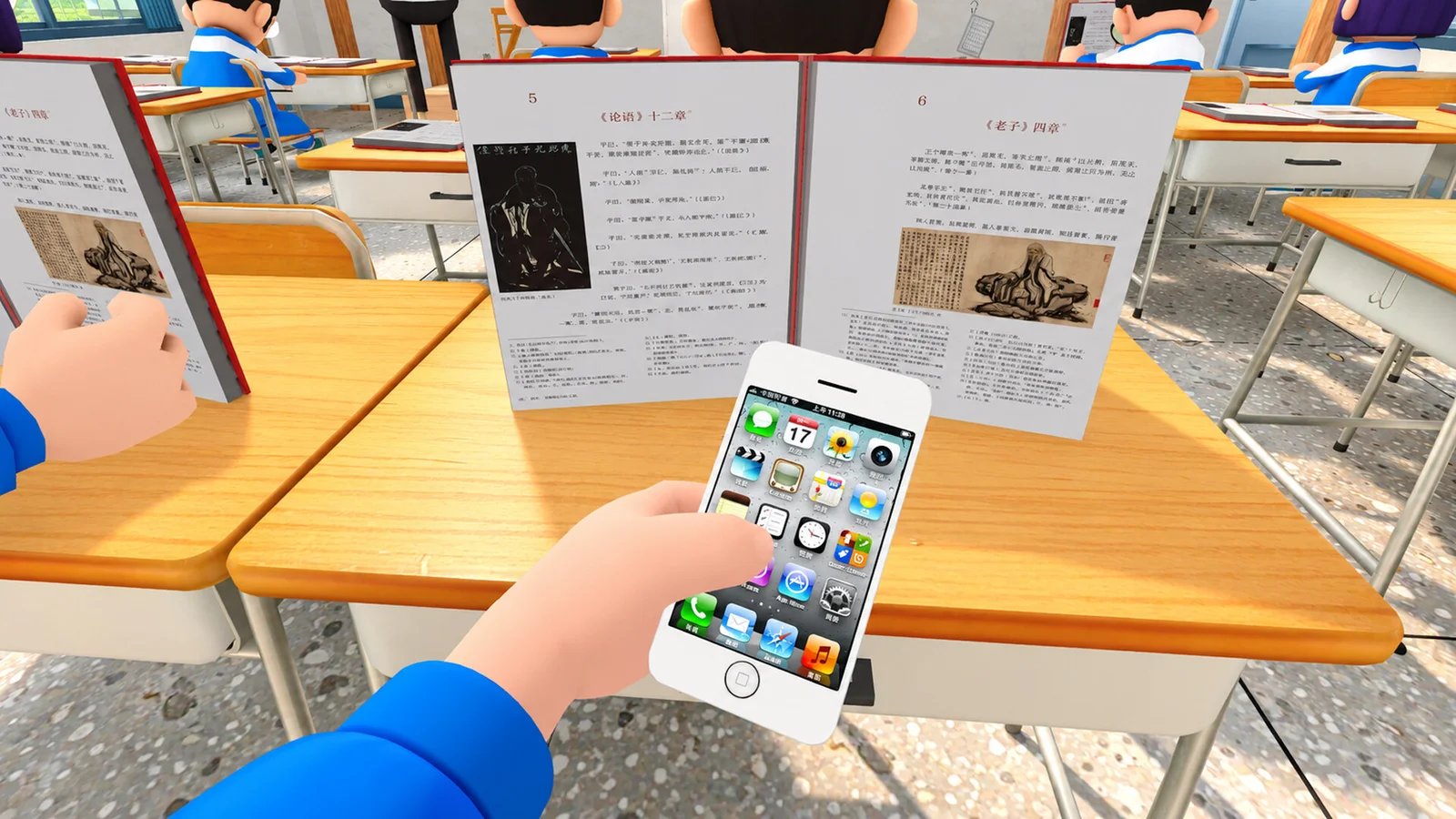
Use the in-game phone for Steam invites
Demo 0.1.6 added the ability to invite Steam friends through the in-game phone. That is the clearest documented invitation method in the official update history. It is more specific than simply saying the game supports online co-op.
The notes confirm the feature, but do not reproduce every screen or button label. Open the phone using the binding shown by your build and use its Steam-friend invitation function. We do not supply an invented default key or promise that the menu wording is identical in every language.
A setup checklist for your group
- Make sure everyone is using the demo you intend to play, rather than waiting inside the unreleased full-game listing.
- Let Steam finish any pending update so you are not comparing different demo builds.
- Have one player reach the intended in-game room and use the phone’s invitation feature.
- Ask the invited friend to accept the invitation and confirm which room or lobby they reach.
- If a round has already begun, allow for the documented round-end joining behavior instead of assuming every delay means the invite failed.
The sequence above is a preparation checklist based on the confirmed invite feature, not a screenshot-verified tour of room-creation settings. The source does not establish an exact “Create Room” button path, room-code system or password workflow.
Why joining can wait until the round ends
The October 17 update changed room logic so new players can join after a round finishes. An invitation and immediate participation in the active classroom are therefore not the same event.
Agree on a simple check with friends: did the invitation arrive, did the game open the room, or is the player waiting for a new round? Keeping those stages separate helps identify where a problem actually occurs. Repeatedly abandoning the room without understanding the stage may only make the group harder to coordinate.
Public rooms and old bug reports
The developers have addressed room-list refresh speed, loading-bar stalls and invalid-looking room entries across several demo patches. Demo 0.1.9 specifically fixed public listings that showed zero of six players. Those notes explain why an early video might show different or broken lobby behavior.
A fix announcement is not a live server-status guarantee. If a problem persists, record the displayed error, whether it affects public joining or friend invites, and whether other members can reach the room. That is more informative than reporting only that multiplayer does not work.
Demo limits and future room settings
The demo advertises up to six players. The October 27 full-release announcement promises an eight-player maximum and more configurable rooms, including settings for student counts, teachers and item spawning. Do not organize an eight-person demo session on the assumption that those announced options are already present.
That announcement also discusses LAN support, while the demo’s Steam feature badges already include LAN categories. The badges do not provide a verified configuration procedure. If you need a specific LAN setup, check its current interface and documentation rather than treating a category label as proof of a working host-and-connect walkthrough.
Related guides
Sources and version
Checked November 1, 2026. These guides use official descriptions and dated updates, not claimed personal playtesting.
- Steam Demo store
- [School-Wide Announcement] 10,000+ Players on Day 1! Emergency Repairs Completed
- Demo 0.1.6 Update Announcement
- Worst Class Ever Demo 0.1.7 Update Announcement
- Worst Class Ever Demo 0.1.9 Update Announcement
- [School-Wide Announcement] Coming Nov 10! — #1 in Steam Next Fest Player Count!
Related Articles
game-info
How to Download the Free Demo
Find the official Worst Class Ever Demo on Steam, check the Windows requirements, and learn how its six-player version differs from launch plans.
game-info
Demo Update History
Track the major Worst Class Ever demo updates: friend invites, room joining, player-count balance, crawling, back doors and the fourth-floor Computer Lab.
game-info
Demo vs Full Game: Players and Planned Features
Compare the current six-player Worst Class Ever Demo with the announced eight-player full release, new classrooms, room settings and language support.
Was this helpful?
Thanks for the feedback!